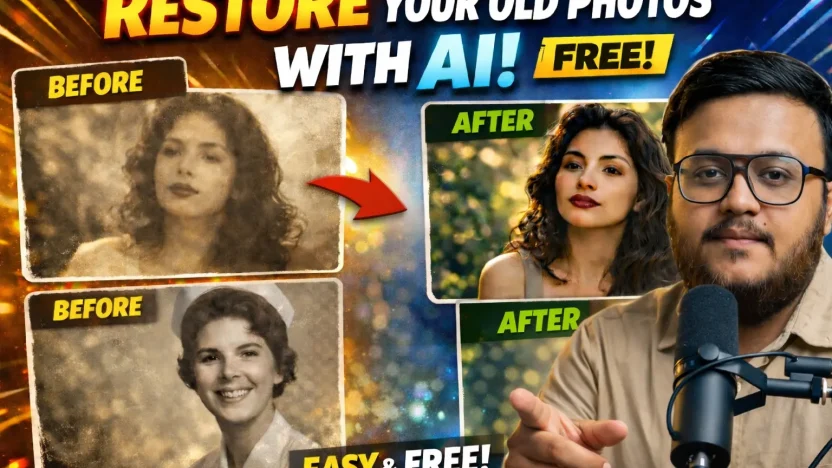
Restore your old photos with AI for free
Old photos hold memories that cannot be replaced. Over time, they fade, lose detail, and sometimes become damaged. Thanks to AI, it is now possible to restore your old photos in a way that looks natural, sharp, and realistic, without paying for expensive software.
In this guide, you will learn a simple and free method to restore your old photos using Google Gemini and one carefully written prompt.
Why restore your old photos with AI
AI photo restoration has improved dramatically. Modern models can enhance resolution, recover facial details, and add natural color while keeping the original look of the person in the photo.
When you restore your old photos with AI, you get:
- Clearer faces and sharper details
- Natural looking colors
- No artificial or plastic appearance
- A result that feels like the photo was taken today
Best of all, this method is free and works directly in your browser.
What you need to restore your old photos
To restore your old photos, you only need two things:
- Your old photo in digital form
- Access to Google Gemini
There is no software to install and no advanced editing skills required.
Step by step guide to restore your old photos
Follow these steps carefully to restore your old photos with AI.
Step 1: Open Google Gemini
Go to Google Gemini in your browser and sign in with your Google account.
Step 2: Upload your old photo
Upload the old photo you want to restore. This can be a black and white image or a faded color photo.
Step 3: Use the exact AI prompt
Copy and paste the prompt below into Gemini. This prompt is designed to restore your old photos with high quality results.
Prompt to use:
Restore this old photo into a professional portrait of DSLR-quality colour and detail, using an advanced upscaling algorithm comparable to the results from the Canon EOS R6 Mark II. Ensure the restored image looks natural, retains exact facial features, has great clarity and no noise. As if taken right now with Canon EOS R6 Mark II.Step 4: Generate and review
Let the AI generate the restored image. Review the result and download it once you are satisfied.
Tips for better photo restoration results
To get the best results when you restore your old photos:
- Use the highest resolution scan available
- Avoid cropped faces if possible
- Make sure the face is clearly visible
- Try again if the first result is not perfect
Small improvements in the input photo can lead to much better outputs.
Is this method really free
Yes. You can restore your old photos using Google Gemini without paying for professional editing tools. This makes it ideal for restoring family albums, old portraits, and historical photos.
Final thoughts on restoring old photos with AI
AI has made it easier than ever to restore your old photos and preserve memories that matter. With the right prompt and a free tool like Google Gemini, anyone can turn faded images into clear, modern looking portraits.
If you have old photos stored away, now is the perfect time to restore your old photos and bring them back to life.