Mahashivratri isn’t just a festival. It’s emotion. It’s power. It’s surrender.
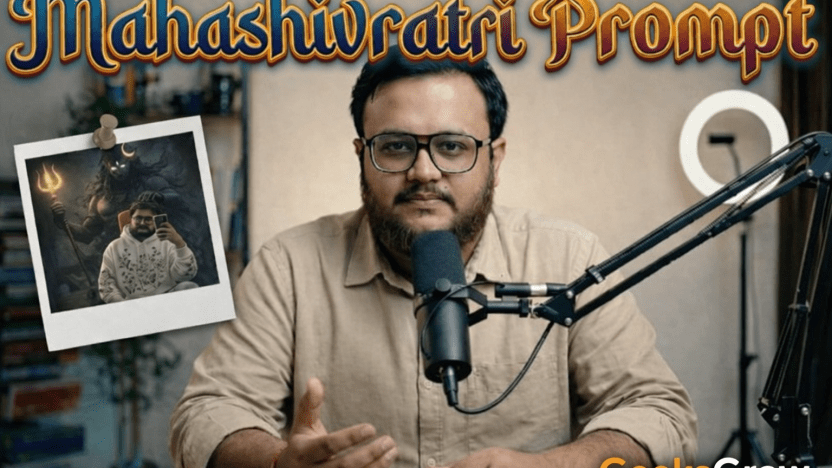
And this year, we at GeeksGrow decided to experiment with something different. Instead of a generic festive poster, we used a Mahashivratri AI image generation prompt to create a cinematic, dark fantasy blessing scene featuring Lord Shiva standing protectively behind a real person.
The result? Goosebumps.
In this guide, we’re breaking down the exact prompt, why it works, and how you can create your own ultra-realistic Mahashivratri AI artwork without ruining facial features or realism.
Let’s get into it.
Why Use AI for Mahashivratri Artwork?
Because generic templates are everywhere.
Stock trishul. Blue background. Basic typography. You’ve seen it 100 times.
But AI changes the game. With the right Mahashivratri AI image generation prompt, you can:
- Blend mythology with realism
- Preserve original facial features
- Create cinematic lighting effects
- Add divine symbolism naturally
- Design 4K ultra-realistic visuals
And honestly? The emotional impact hits differently when Lord Shiva appears as a smoky, semi-transparent divine presence rather than a flat illustration.
The Exact Mahashivratri AI Image Generation Prompt
Here is the full working prompt that generated the attached image:
Transform this pic into a dark, cinematic fantasy scene. Keep the person exactly the same face, pose, outfit, lighting, and background. Add a shadowy, smoke-like lord shiva holding his golden glowing trident and Make a-half moon a bit small and place it on the side of lord shivas head. On his locks. his one hand on models head keeping very softly and gently. Like he is giving blessing. Shiva figure masculine. Make shiva broad and strong with strong muscles. Keep lord shiva close behind the person. Lord shiva should be made of swirling black smoke, semi-transparent, with glowing white eyes. The smoke wraps around the body and flows down to the floor naturally, blending with the environment. Maintain realistic shadows, reflections, and depth so the shiva feels part of the scene. Dark, moody atmosphere, high contrast, cinematic lighting, ultra-realistic, 4K quality.No change to facial features, clothing. The camera angle can be a wide shot which can be converted to a dolly zoom in shot later
Now let’s break down why this prompt works so well.
Prompt Breakdown: Why This Works So Powerfully
Here’s the thing. Most AI prompts fail because they’re vague.
This one is specific. Very specific.
1. Face Preservation Instruction
“Keep the person exactly the same face, pose, outfit, lighting, and background.”
This is critical.
If you don’t lock these elements, AI models tend to:
- Modify facial symmetry
- Change skin tone
- Adjust clothing details
- Shift lighting inconsistently
By explicitly instructing no changes, you anchor the subject.
2. Lord Shiva as Smoke, Not Solid
“Lord shiva should be made of swirling black smoke, semi-transparent, with glowing white eyes.”
This single instruction transforms the output from cartoonish to cinematic.
Why?
Because semi-transparency:
- Maintains realism
- Blends naturally with environment
- Prevents visual overpowering
- Creates divine presence effect
And the glowing white eyes add spiritual intensity without breaking realism.
3. Emotional Gesture: The Blessing Touch
“His one hand on models head keeping very softly and gently. Like he is giving blessing.”
That soft touch detail is everything.
Without it, Shiva just stands behind.
With it, the scene becomes:
- Protective
- Emotional
- Spiritual
- Symbolic of grace
Mahashivratri is about surrender and blessing. This single line makes the image spiritually aligned.
4. The Golden Glowing Trident
“Holding his golden glowing trident”
Gold adds:
- Divinity
- Contrast in dark background
- Cinematic focal point
But because everything else is dark and smoky, the trident becomes a controlled highlight instead of visual chaos.
5. The Crescent Moon Detail
“Make a-half moon a bit small and place it on the side of lord shivas head. On his locks.”
Subtle. But powerful.
A small crescent keeps it mythologically accurate without making it oversized or theatrical. Balance matters.
6. Lighting and Atmosphere Instructions
“Maintain realistic shadows, reflections, and depth.”
This is the professional-level line.
Without shadow integration:
- The divine figure floats unnaturally
- Depth breaks
- Realism collapses
By forcing shadow and depth consistency, the Shiva presence feels physically present in the environment.
How to Improve This Mahashivratri AI Image Generation Prompt
Want to take it even further? Try these additions:
Add Camera Control
You can specify:
- 85mm lens look
- Shallow depth of field
- Cinematic rim lighting
For example:
“Shot on 85mm lens, shallow depth of field, cinematic rim lighting, volumetric smoke lighting.”
This increases realism dramatically.
Add Texture Detail
You can enhance skin realism by adding:
“Ultra-detailed skin texture, natural pores, soft diffusion lighting.”
It prevents plastic AI faces.
Add Color Grading
Instead of just “dark moody,” try:
“Teal and orange cinematic color grading with soft golden highlights.”
That gives it movie-poster quality.
Common Mistakes When Writing a Mahashivratri AI Prompt
We’ve tested over 20 variations. Here’s what breaks the image:
❌ Not locking face and clothing
❌ Over-describing Shiva’s blue skin
❌ Making the trident too large
❌ Forgetting shadow integration
❌ Using generic phrases like “epic divine scene”
AI needs structure, not poetry.
Be direct. Be specific.
Best AI Tools to Use for This Prompt
For this type of Mahashivratri AI image generation prompt, we recommend:
- Midjourney (best for cinematic fantasy)
- Stable Diffusion with ControlNet (best for face preservation)
- Leonardo AI (good for semi-realistic mythic art)
If you’re managing multiple creative projects, organizing prompts inside Notion helps a lot. We track versions, results, and tweaks in a structured database to refine outputs faster.
Pro Workflow for Agencies and Creators
Here’s what we do at GeeksGrow when creating festival visuals for clients:
- Capture high-quality base portrait
- Lock facial structure with strict preservation instructions
- Layer mythological elements via smoke-based blending
- Force realistic shadow and depth integration
- Export in 4K for social and print usage
And yes, we iterate 3 to 5 times before finalizing.
Because AI gives 80 percent in one shot. The last 20 percent comes from refinement.
Frequently Asked Questions
Can AI change facial features even if I instruct not to?
Yes. Some models still slightly modify jawline or skin texture. Use ControlNet or face reference mode if available.
Can I use this image commercially?
Depends on the platform’s licensing terms. Always check usage rights before client distribution.
Is it disrespectful to create mythological AI art?
It depends on intent and representation. Maintain dignity, symbolism, and cultural sensitivity.
Final Thoughts
Mahashivratri is about transformation.
And honestly, that’s what AI image generation feels like too.
You start with a normal portrait.
You add symbolism.
You layer light and smoke.
And suddenly, it becomes something deeper.
If you use this Mahashivratri AI image generation prompt properly, you won’t just create artwork.
You’ll create presence.